[Block Type] Calendar block
Optional Calendar Headline
Optional View All Link- Sun
- Mon
- Tue
- Wed
- Thu
- Fri
- Sat
- 1
- 2
Town Hall
Town Hall 1:30 PM - 2:30 PMEvent Description
Lorem ipsum dolor sit amet, consectetur adipiscing elit, sed do eiusmod tempor incididunt ut labore et dolore magna aliqua.
Ut enim ad minim veniam, quis nostrud exercitation ullamco laboris nisi ut aliquip ex ea commodo consequat. Duis aute irure dolor in reprehenderit in voluptate velit esse cillum dolore eu fugiat nulla pariatur.
- 3
- 4
- 5
- 6
- 7
- 8
Town Hall
Town Hall 1:30 PM - 2:30 PMEvent Description
Lorem ipsum dolor sit amet, consectetur adipiscing elit, sed do eiusmod tempor incididunt ut labore et dolore magna aliqua.
Ut enim ad minim veniam, quis nostrud exercitation ullamco laboris nisi ut aliquip ex ea commodo consequat. Duis aute irure dolor in reprehenderit in voluptate velit esse cillum dolore eu fugiat nulla pariatur.
- 9
- 10
- 11
- 12
- 13
- 14
- 15
- 16
- 17
- 18
- 19
- 20
- 21
- 22
- 23
- 24
- 25
- 26
- 27
- 28
- 29
- 30
Today
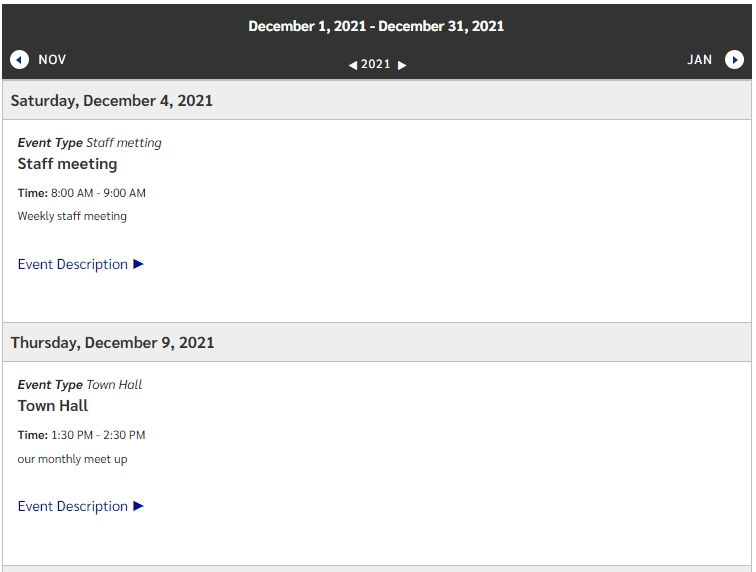
This block will display a list of events created within the global components Calendar container.
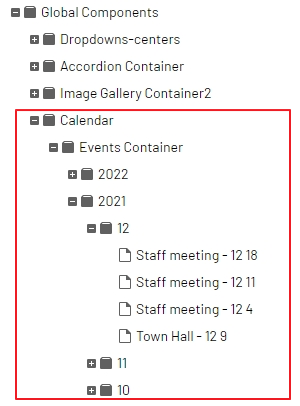
Within the Calendar container, you will find 3 sub containers:
- Events container that houses years, months and event pages
- upon creating a new year folder, months are created automatically
- Event types that can be used to filter which events display
- viewers can filter which events to display from a dropdown
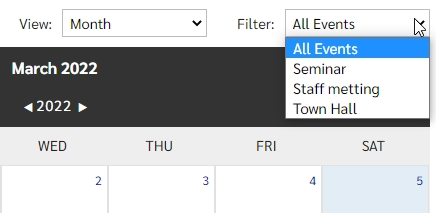
- viewers can filter which events to display from a dropdown
- Recurring Events Container for the creation and management of multiple events pages that are within a series (daily, monthly, yearly)
- which display on the calendar with a recurring icon

- which display on the calendar with a recurring icon
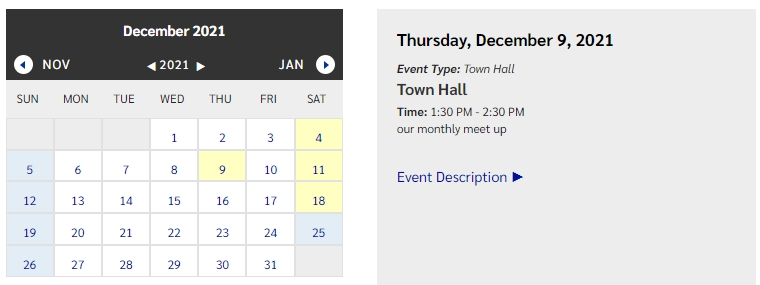
As an editor, the calendar can be set to display in a full month view, a smaller month view with a daily listing, or as an event list.
Month View
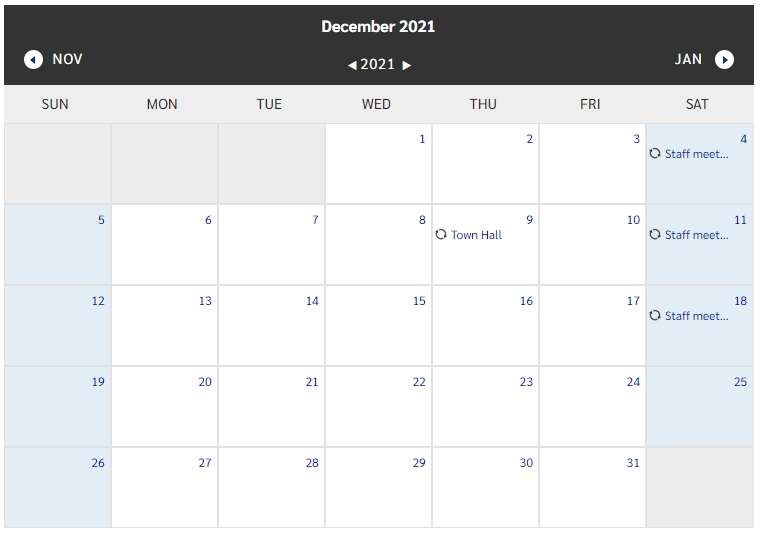
Month with Event View
Event List View