[Block Type] Calendar block
Optional Calendar Headline
Optional View All Link- Sun
- Mon
- Tue
- Wed
- Thu
- Fri
- Sat
- 1
- 2
- 3
- 4
- 5
- 6
- 7
- 8
- 9
- 10
- 11
- 12
- 13
- 14
- 15
- 16
- 17
- 18
- 19
- 20
- 21
- 22
- 23
- 24
- 25
- 26
- 27
- 28
- 29
- 30
- 31
Today
This block will display a list of events created within the global components Calendar container.
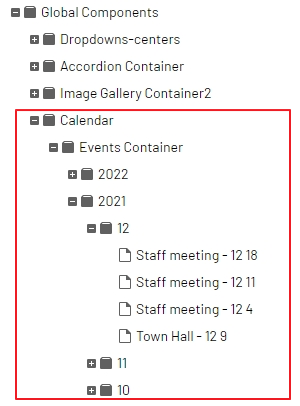
Within the Calendar container, you will find 3 sub containers:
- Events container that houses years, months and event pages
- upon creating a new year folder, months are created automatically
- Event types that can be used to filter which events display
- viewers can filter which events to display from a dropdown
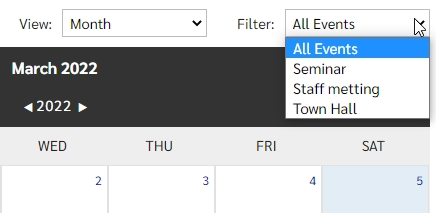
- viewers can filter which events to display from a dropdown
- Recurring Events Container for the creation and management of multiple events pages that are within a series (daily, monthly, yearly)
- which display on the calendar with a recurring icon

- which display on the calendar with a recurring icon
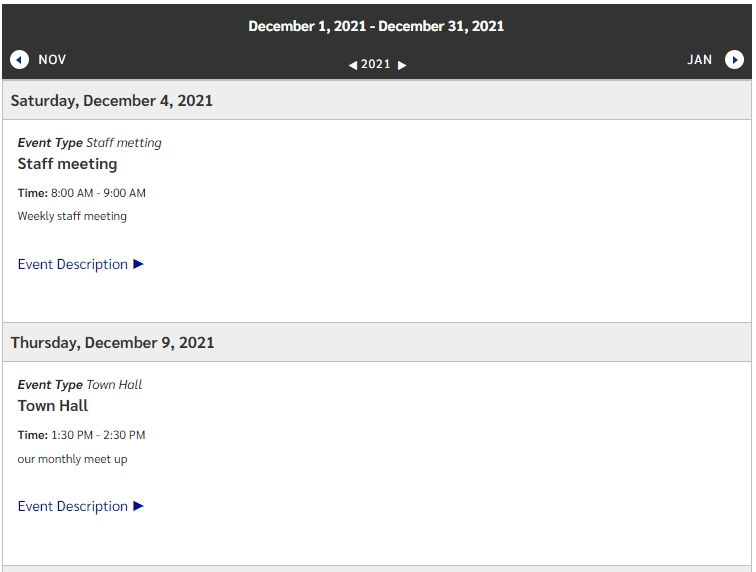
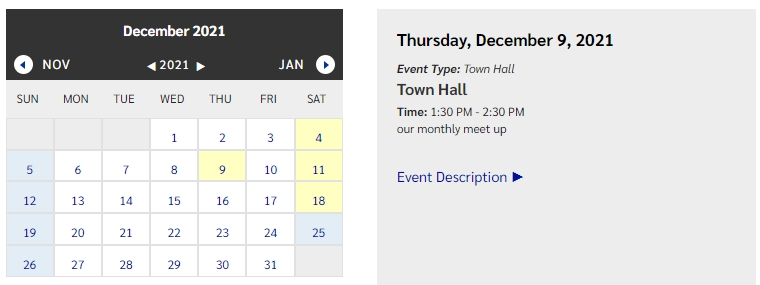
As an editor, the calendar can be set to display in a full month view, a smaller month view with a daily listing, or as an event list.
Month View
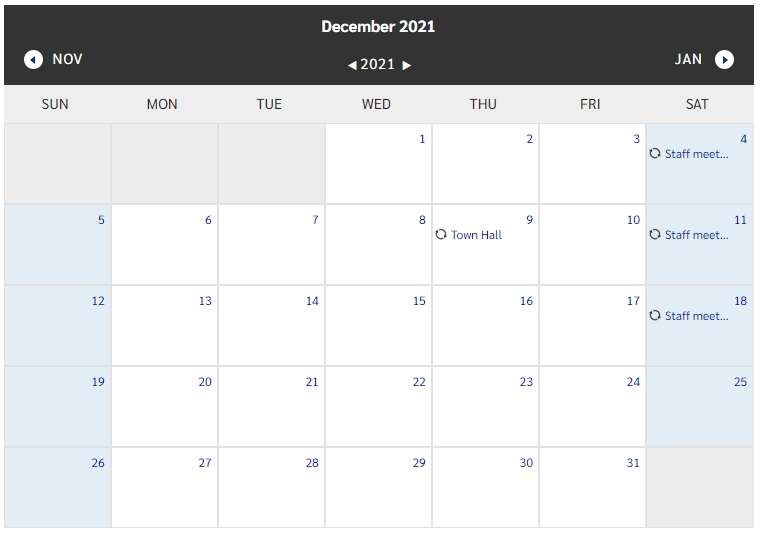
Month with Event View
Event List View