This post is for editors of the following sites (non-liquid template tenants/sites).
- umassmed.edu
- pdhub.org
- covid19testus.org
- force-tjr.org
- umasscancerwalk.org
We recently enhanced how categories are managed and used in the CMS. Categories are now available in the right pane, alongside blocks and media, providing a more familiar and consistent editing experience.
With this update, categories are easier to find, search for, and apply when tagging content. The goal is to make category management more intuitive while giving site teams greater flexibility and control over how categories are organized and maintained.
Key benefits include:
- Site-specific category management, allowing categories to be organized around each site’s needs.
- Site owners can create and manage categories without CMS administrator support.
- A familiar editing experience, with categories available in the same right-pane interface as blocks and media.
- Searchable categories, making it easier to locate and tag content accurately.
- Multilingual support for sites that manage content in more than one language.
- Greater flexibility for future enhancements.
For most editors, the overall purpose of categories remains the same: categories help organize and classify content. The main difference is that category management can now be more tailored to each site and, where appropriate, handled by the site owner rather than requiring CMS administrator support.
If you have questions about how categories should be organized for your site, please reach out and we can help review the best approach. Submit a ticket
We have tested pages that have been converted. If you come across any pages that are not loading as expected, pertaining to categories, please reach out and we can help to debug the issue. Submit a ticket
Instructions
Selecting categories for content
The Categories property is in the same place on the Content tab, works the same way but looks a little different. You can still click the select button but now you have the option to drag and drop from the Categories tree in the right pane. Within the Categories pane, you can easily search for categories instead of having to expand each category to find what you are looking for. Instructions included below.
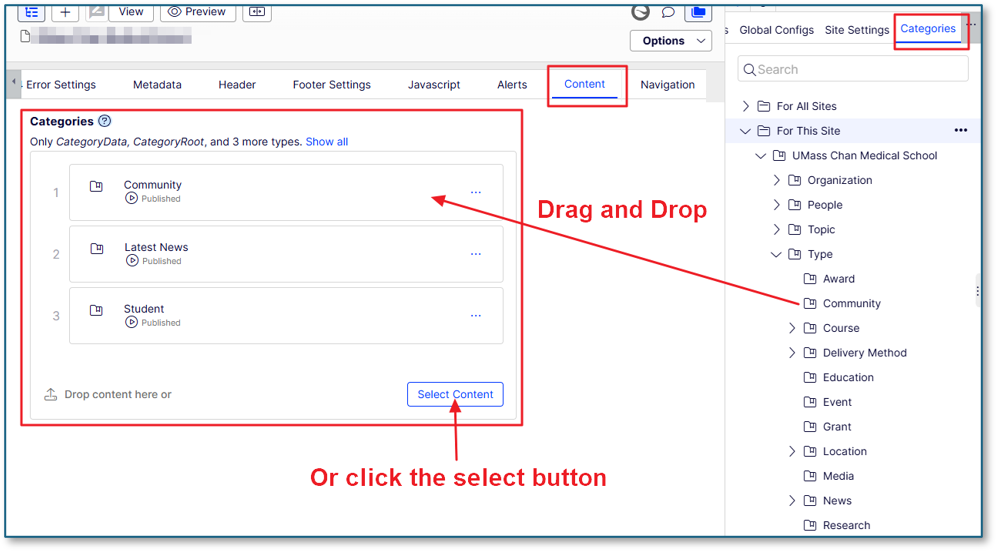
- Drag and drop the category from the Category tree in the right pane
- Or click the “Select Content” button to popup a selection screen and select a category
Using Geta categories in filters
When setting up any of our listing pages or blocks, you can set filters to Geta categories the same way Taxonomy categories were being set. All content has already been converted with the appropriate Geta category.
Finding Geta categories
With Taxonomy, there was no way to search for a category if you were unsure of where it resided. With Geta categories, you can expand the category navigation tree in the right pane and use the search at the top to find a category.
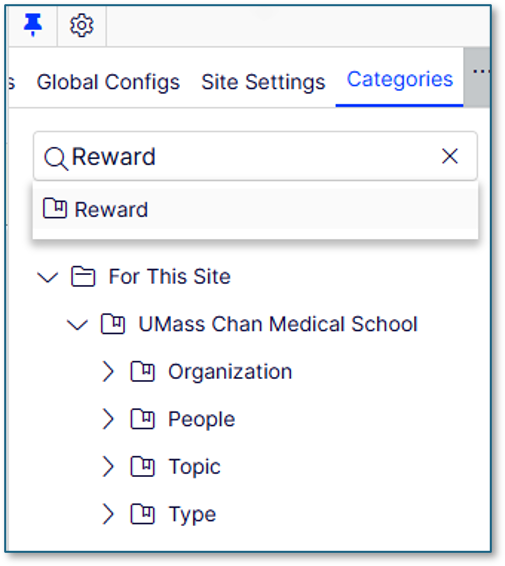
Click on the result to see the full path of its location
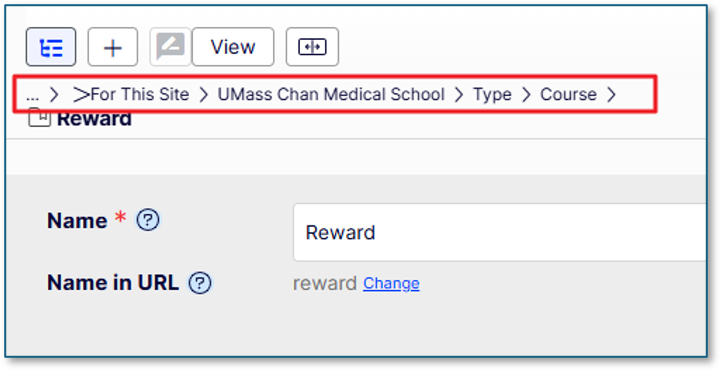
Now you know you can find this category under Type > Course. In the categories navigation pan, expand the items in the path shown above. Now you can drag and drop that category to a categories property.